PUBG Mobile UC: Compare Live Top-Up Listings
Compare PUBG Mobile UC top-ups from rated G2G sellers. Check what the seller needs from you and the delivery time, and pay through G2G GamerProtect escrow.
PUBG Mobile
Rated Marketplace Sellers
Where can I buy PUBG Mobile top-up on G2G?
Short answer: the button above opens G2G's PUBG Mobile top-up page, where independent sellers list their own offers (live snapshot below). G2G holds your payment until you confirm you received exactly what was promised, and says an order is treated as accepted if no claim is made within 72 hours after delivery. Check what you received before you click “Confirm Received”, because confirming releases the seller’s payment.
Looking for a PUBG Mobile account instead?
This page's main button opens G2G's PUBG Mobile top-up page. If you want a ready-made profile instead, G2G also lists PUBG Mobile accounts from independent sellers.
Account sales are not permitted by the publisher's terms, so a bought account can be suspended and that risk stays with the buyer. G2G holds your payment until you confirm you received what was promised.
How to Order PUBG Mobile Safely
Four transparent steps backed by G2G GamerProtect escrow from order to completion.
Choose Region and Amount
Select the listing that matches your account's region or server and the amount you want.
Pay Into Escrow
Your payment is held by G2G GamerProtect. The seller is not paid yet.
Send Your ID
Give the seller the Player ID or account detail the listing asks for in the G2G order chat.
Check, Then Confirm
Open the game or app and make sure the top-up has arrived before you confirm delivery on G2G.
Before You Buy: Safety Checklist
- ★ Player ID top-ups: choose listings that need only your Player ID or username over any that ask for your password.
- ★ Region: top-ups are often region-locked, so confirm the listing matches your account's region or server.
- ★ Seller track record: compare the rating and completed-order count shown on each listing, not just the price.
PUBG Mobile UC top-ups buying guide
UC by Player ID is the safe method
Unknown Cash (UC) can be sent to an account using only its Player ID, the number shown on your in-game profile. That is the method to choose, because the seller never touches your login. Avoid listings that ask for your account credentials when a Player ID option exists.
Check which version you play
The global version of PUBG Mobile is separate from regional versions such as BGMI in India and the Korea/Japan, Vietnam and Taiwan versions. UC for one version does not work on another. Make sure the listing matches your version, then double-check the Player ID you send, because UC delivered to the wrong ID cannot be recalled.
Compare with the official price
The publisher's own top-up site also delivers UC by Player ID and sometimes runs bonuses. Compare the listing's price per UC with the official price on the day you buy.
What to check on a listing
- What the seller needs: a Player ID or username is the safest option, a full login is the riskiest.
- The region or server the top-up works for.
- The stated delivery time.
- The seller's rating and number of completed orders.
The risk you should know about
A reseller top-up is not a purchase from Krafton and Tencent. If a reseller funds it with a payment that is later refunded or reversed, the balance can be clawed back or the account penalised. That makes the seller's track record the most important thing on the listing.
Compare live PUBG Mobile UC top-ups on G2G →Best PUBG Mobile accessories
Gear that helps in PUBG Mobile, with what to look for before you buy. Each button opens Amazon search results; we do not review or rank individual products.
🛒 Amazon’s Black Friday Week runs Nov 19–27, so many accessories may be cheaper than usual right now.
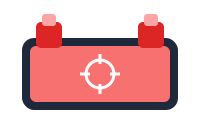 Mobile shooting triggersClip-on L1/R1 buttons, so you can aim, scope and fire at the same time.Look for: Conductive clip-on triggers with a clamp wide enough for your phone and case.Check price on Amazon →
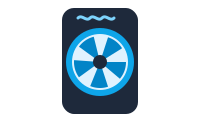 Phone cooling fanClamps on the back of the phone to slow heat-related lag in long matches.Look for: Semiconductor (Peltier) coolers cool harder than plain fans; check the clamp width.Check price on Amazon →
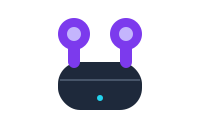 Low-latency gaming earbudsFootsteps and skill sounds arrive in time with the action, not late.Look for: A dedicated game or low-latency mode. Wired audio has no delay at all.Check price on Amazon →
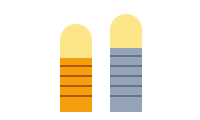 Gaming finger sleevesThin sleeves for smoother swipes and less sweat on the screen.Look for: Silver- or copper-fiber sleeves so touches still register, in a snug size.Check price on Amazon →
Full guide: Best mobile gaming accessories →As an Amazon Associate, PlayerSea earns from qualifying purchases.
PUBG Mobile FAQ
Straight answers on delivery, risk and how escrow works.
What does the seller need to deliver UC?
Only your Player ID, the number on your profile. A UC top-up does not require your password.
Does global UC work on BGMI or the Korean version?
No. Each regional version has its own UC. Buy for the version you play.
Do I have to share my password for a top-up?
Not if you pick a listing that delivers by Player ID or username. Listings that require a login are riskier, and you should change your password afterwards if you use one.
How does G2G GamerProtect protect the purchase?
G2G holds your payment in escrow and pays the seller only after you confirm delivery. If the order does not arrive or does not match the listing, open a dispute with G2G instead of confirming.
Ready to buy PUBG Mobile?
Compare live prices, seller ratings and delivery times on G2G. Your payment stays in GamerProtect escrow until you confirm the order.
New to G2G? Creating an account is free and takes about a minute after you click through.