How we wrote this
We explain what each type of accessory does and what to check. We do not test or rank individual products, so each button opens Amazon search results. As an Amazon Associate, PlayerSea earns from qualifying purchases.
🛒 Amazon’s Black Friday Week runs Nov 19–27, so many accessories may be cheaper than usual right now.
1. Gaming headsets: hear where enemies are
In shooters like Valorant, CS2 and Call of Duty, sound tells you where enemies are. A good stereo headset gives clear direction; virtual surround is optional.
 Gaming headsetClear positional audio plus a mic for team chat.Check price on Amazon →
What to look for
- Closed-back cups to block room noise.
- USB or 2.4 GHz wireless on PC; Bluetooth adds delay.
- A detachable or flip-to-mute mic for team chat.
- Compatibility with your platform (PC, PlayStation, Xbox).
2. Gaming mice: shape first, sensor second
Every modern gaming sensor is accurate enough for competitive play. What changes your aim is weight and how the shape fits your hand.
 Lightweight gaming mouseFaster flicks and less wrist fatigue in long sessions.Check price on Amazon →
What to look for
- The right shape and size for your grip: palm, claw or fingertip.
- A lower weight for fast flicks in shooters.
- A 2.4 GHz wireless dongle or a light, flexible cable.
3. Mouse pads: room to aim
Low sensitivity needs space. A large pad gives you room for big swipes and a consistent glide.
 Large gaming mouse padRoom for low-sensitivity aim and a consistent glide.Check price on Amazon →
What to look for
- Cloth surfaces for control, hard ones for speed.
- A desk-size mat if you want the keyboard on it too.
- Stitched edges so it does not fray.
4. Mechanical keyboards: binds you can trust
Mechanical switches register reliably and feel consistent, which helps with builds, binds and fast inputs.
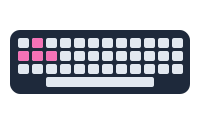 Mechanical gaming keyboardResponsive keys for binds and fast inputs.Check price on Amazon →
What to look for
- Linear switches for fast games, tactile ones if you also type a lot.
- Tenkeyless or smaller layouts for more mouse room.
- Keycaps and software you can live with.
5. MMO mice: skills under your thumb
In World of Warcraft, Old School RuneScape, Diablo 4 or Path of Exile you press a lot of keys. Side buttons put skills, potions and gear switches under your thumb.
 MMO gaming mouseSide buttons for skills, potions and gear switches.Check price on Amazon →
What to look for
- How many side buttons you will actually use (6 to 12 is common).
- Remapping software that supports your operating system.
- A comfortable weight for long sessions.
6. Controllers: for couch play and sports games
EA Sports FC, Elden Ring and many action games feel best on a controller, on PC as well as on console.
 Wireless game controllerComfortable console-style play on PC or console.Check price on Amazon →
What to look for
- Native support for your platform: Xbox controllers work on Windows out of the box.
- Rechargeable batteries or a charging dock.
- Wired mode for zero-delay play.
7. Wrist rests: for long sessions
Grinding sessions are long. A wrist rest at the right height takes strain off your wrists.
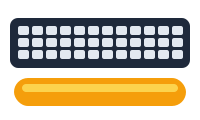 Keyboard wrist restLess wrist strain over long grinding sessions.Check price on Amazon →
What to look for
- Memory foam or gel.
- The same height as the keyboard's front edge.
- A non-slip base.
Gear picks by game
Each game page has its own short list of accessories that suit it.
Frequently Asked Questions
Wired or wireless gaming mouse?
Modern 2.4 GHz wireless gaming mice are fast enough for competitive play. Wired is cheaper and never needs charging. Bluetooth adds delay, so avoid it for gaming.
Do I need a 7.1 surround headset?
No. A good stereo headset already gives clear direction in most games. Virtual surround is a preference, not a requirement.
Is a mechanical keyboard worth it for gaming?
It is not required, but mechanical switches feel consistent and last long. Pick linear switches for fast games or tactile ones if you also type a lot.
Also read: Best Mobile Gaming Accessories (2026) →As an Amazon Associate, PlayerSea earns from qualifying purchases.